When a React application starts accumulating state, the conversation often jumps straight to a library: Redux, Zustand, or whichever store the team already knows. I think that question usually arrives too early.
First ask what kind of state this is, who owns it, and where it needs to live. A filter that belongs in the address bar, server data that needs caching, and a temporary input value are different problems. Putting all three in one global store makes them look uniform while hiding their different lifecycles.
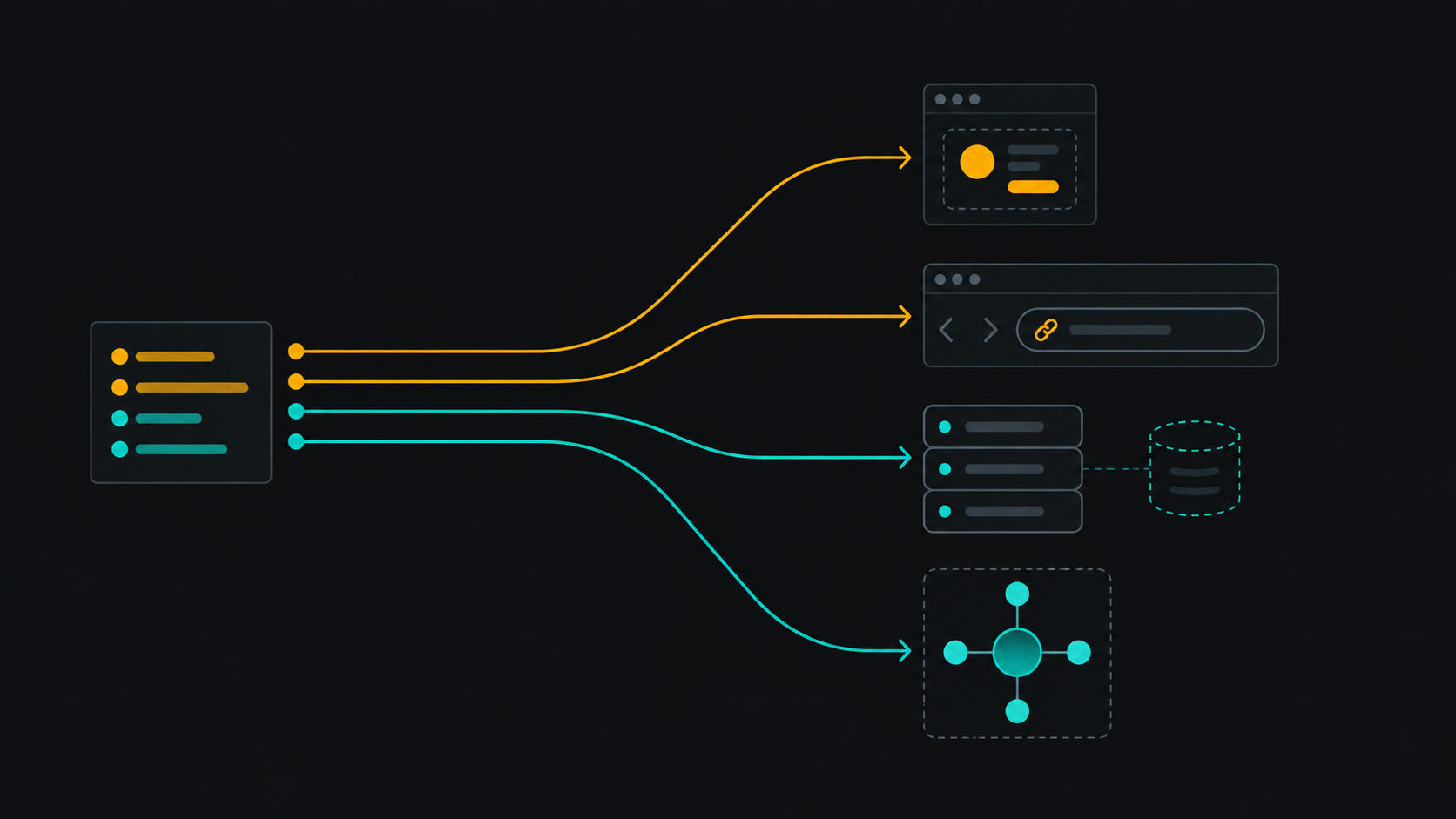
I use four homes as a starting point: component state, URL state, server/cache state, and global client state. The goal is not to avoid a store at all costs. It is to make shared state an intentional choice rather than the default destination for anything that moves.
Start with ownership, not a library
A useful first question is: which part of the application is responsible for this value? If one component owns an open/closed disclosure, keep it near that component. If several distant parts of a workflow must coordinate a durable client-side selection, a shared store may be the right owner.
The distance between readers is a clue, not a rule. Lifting a small value to a common parent can be simpler than introducing global infrastructure. Conversely, a complex workflow may deserve a well-defined shared owner even if only a few screens consume it. The important part is that a developer can explain why the state has its current scope. The frontend architecture review checklist is useful when tracing which values cross route and component boundaries.
Four common homes for React state
1. Component state: temporary and local
Use component state for values whose meaning is limited to one interaction or component boundary: whether a menu is open, the draft text in a field, or the currently selected tab when it does not need to be shareable.
This value has a clear owner and disappears when the interaction ends. Moving it into a global store would add a second place to reason about without making the behavior more useful.
2. URL state: navigable and shareable
If a value should survive a refresh, be bookmarkable, or be shared with another person, consider the URL. Search queries, pagination, sort order, and many filters are navigation state. The browser already provides history, deep links, and refresh behavior for this purpose.
The URL is not automatically the right home for every keystroke. Decide which changes represent a meaningful navigation state, and avoid creating noisy history entries for ephemeral input. Also define parsing and defaults so malformed or missing parameters produce a predictable view.
3. Server/cache state: owned by the server
Data fetched from an API has a source of truth outside the browser. A client cache can make it faster to read, refresh, and reconcile, but it does not turn that data into ordinary client-owned state. Keep fetching, caching, invalidation, loading, and error behavior aligned with the server's lifecycle.
For example, an inventory list should not silently become a separate authoritative copy in a global client store. If the user updates one item, the application needs a deliberate strategy for refreshing or reconciling the cached server result. A cache library such as TanStack Query is designed for this category; Redux or Zustand can still coordinate other client concerns, but duplicating server data there introduces synchronization work. When server data updates frequently, Real-Time Frontends Don't Need to Re-render in Real Time explores the related choice of separating event frequency from render frequency.
4. Global client state: shared and client-owned
A global store earns its place when a value is truly client-owned and multiple distant consumers need a consistent view: a multi-step client-side workflow, a shared command palette state, or a complex selection that several routes coordinate before submission.
“Several components use it” is not enough by itself. Context, a common owner, derived values, or URL state may be simpler. A store also brings costs: update conventions, selectors, debugging, persistence decisions, and another lifecycle to understand. Adopt it when those costs buy an explicit shared model.
A small decision model
When deciding where a value belongs, ask these questions in order:
- Is the server authoritative? Treat it as server/cache state; don't create a competing client truth by default.
- Should someone be able to bookmark or share this view? Put the durable navigation part in the URL.
- Is the value temporary and contained within one interaction? Keep it local to the component or its nearest meaningful owner.
- Must distant client-side consumers coordinate this value across screens? Consider a global store, with a named owner and explicit update rules.
- Is the same fact being stored in multiple places? Prefer one source and derive the rest unless there is a clear synchronization contract.
Some features combine categories. A search page might keep the submitted query in the URL, the results in a server cache, and the unsubmitted text in local component state. That is not needless fragmentation: each piece has a different purpose and persistence requirement.
Common misplacements and a safe refactor
A frequent misplacement is putting every server response in a general store because “the app needs the data everywhere.” Start by tracing the data's actual readers. If it is fetched from a server and most consumers need the same cached resource, keep it in the server-data layer and pass or select it where needed. Do not also copy it into another store unless the application has a specific optimistic or offline model.
Another is keeping filters in component state even though users expect refresh and browser back to preserve them. Move the durable filter state to URL parameters, then derive the query from those parameters. Keep incomplete text local if updating the URL on every keystroke would create noise.
Refactor incrementally. Choose one value, identify its source of truth, list its consumers, and write down its required persistence behavior. Move it to the target home, remove the old copy, and test refresh, back/forward navigation, and the relevant loading or empty state. A broad “state cleanup” that changes many owners at once is harder to review than a sequence of explicit moves. If the reasoning behind a state boundary needs to survive the original implementation session, a lightweight decision record can preserve why that boundary was chosen.
When global state is the right answer
Global state is useful when the shared client-side concept is real, its owner is clear, and consumers need to observe consistent updates. A well-scoped store can reduce prop plumbing and make a workflow easier to reason about. The goal is not minimal global state as a badge of purity; it is minimal ambiguity about where a fact comes from and which layer may change it.
Before adding a store, I want to be able to finish this sentence: “This value is owned here because…” If the answer is only “it was convenient,” pause and check the URL, server cache, and component boundary first.
That one pause often prevents a state-management choice from becoming an application-wide commitment before the problem has been named.